Festivals · raves · shows · events

SOSS Save Our Squad Signal

Be the beacon. Be the light.

Packed in and nobody can hear or see you? SOSS turns your phone into a flashing beacon in the dark. Hold one button, raise it high, get noticed. Text your squad with one more hold.

  • Free
  • No ads
  • No account
  • Native app

Now available on the App Store

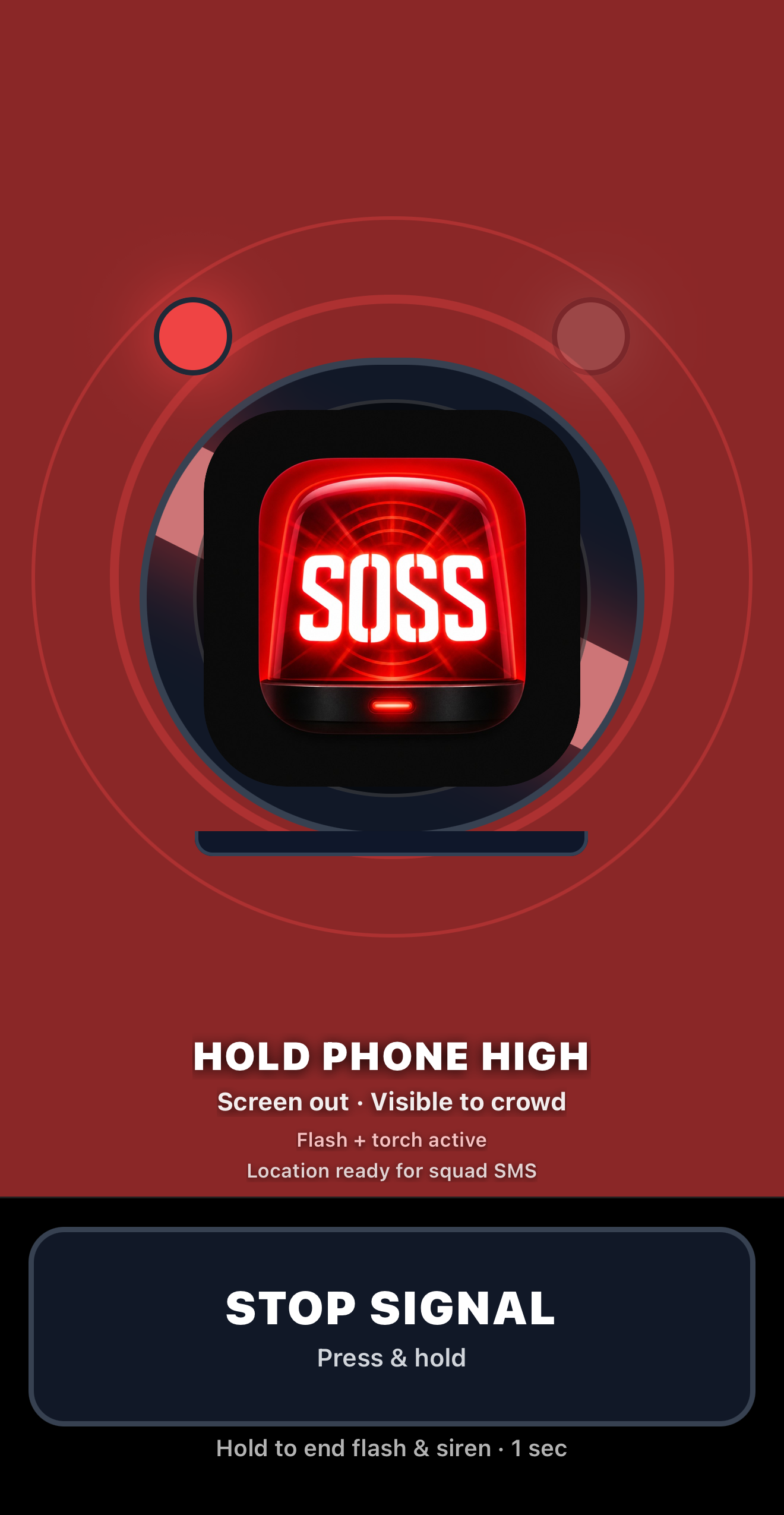
SOSS active signal screen showing red emergency flash

Lights everywhere... but you're stuck in the dark. Bass loud, something feels off, and yelling does not work. You need a signal the whole crowd can see.

A new signal for help.

SOSS is short for Save Our Squad Signal. It is also your SOS Signal in the crowd. Say it like sauce. Same confidence, different situation.

After years at festivals, raves, and concerts, the gap is clear. When something goes wrong in a crowd, seconds matter. We have all seen what happens when help cannot cut through the noise fast enough.

If enough people raised the same signal, performers, security, and med staff would know immediately that something is wrong. Phone up. Flashing. Loud. Hard to miss.

Be the beacon. Be the light. Look out for your squad, and the people around you.
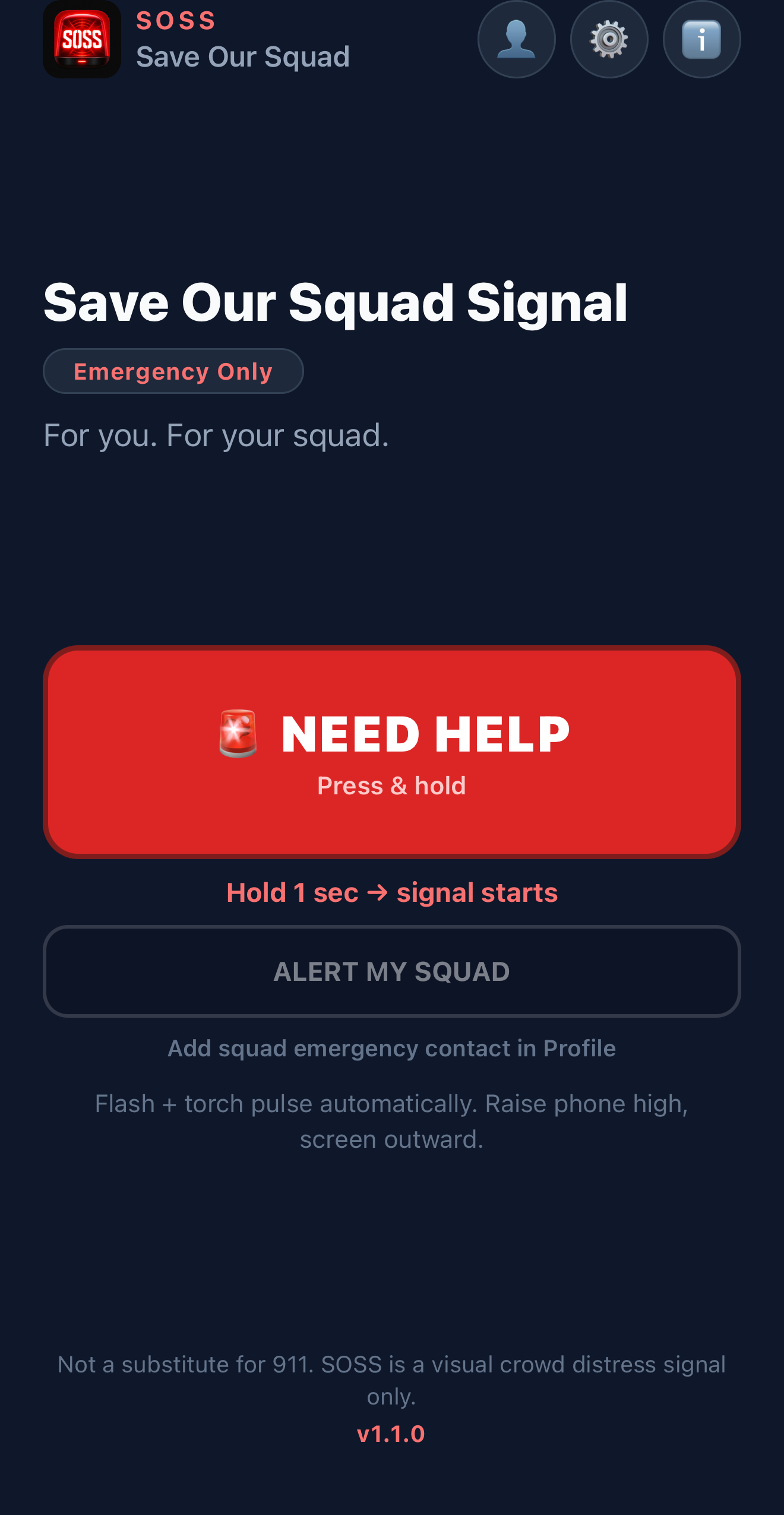
SOSS home screen with NEED HELP and Alert my squad buttons

See it in action

Dark, loud, crowded. Hold one button. Flash, sound, raise your phone. Hover the strip to pause and read each step — including sending a squad text in Messages.

Hover to pause · arrows to skip

SOSS home screen
Home
Hold 0.5 sec on NEED HELP or Alert my squad.
Active red and white signal
Active signal
Max brightness, sound, and vibration.
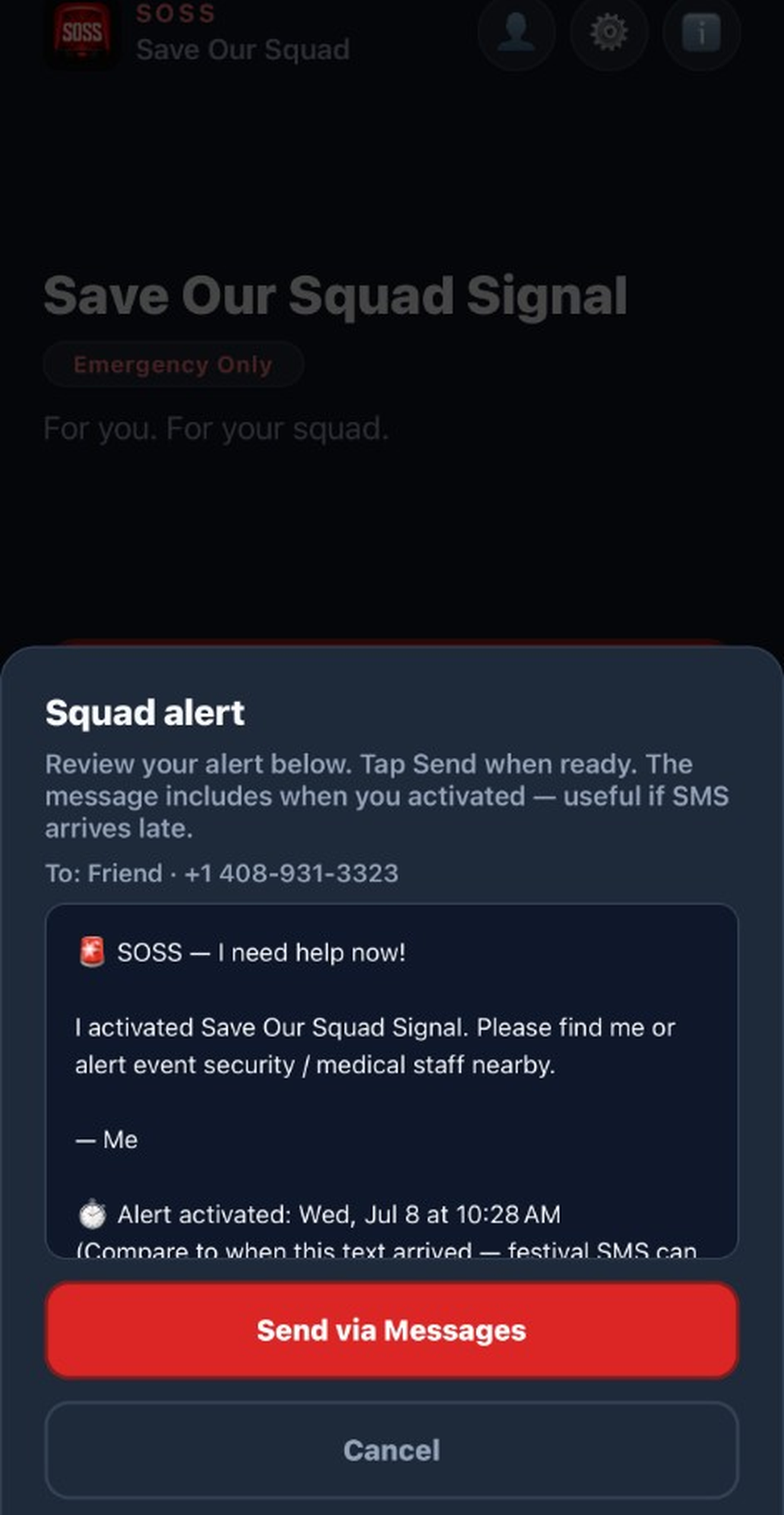
Review squad alert before sending
Review in SOSS
Read the message. Tap Send via Messages.
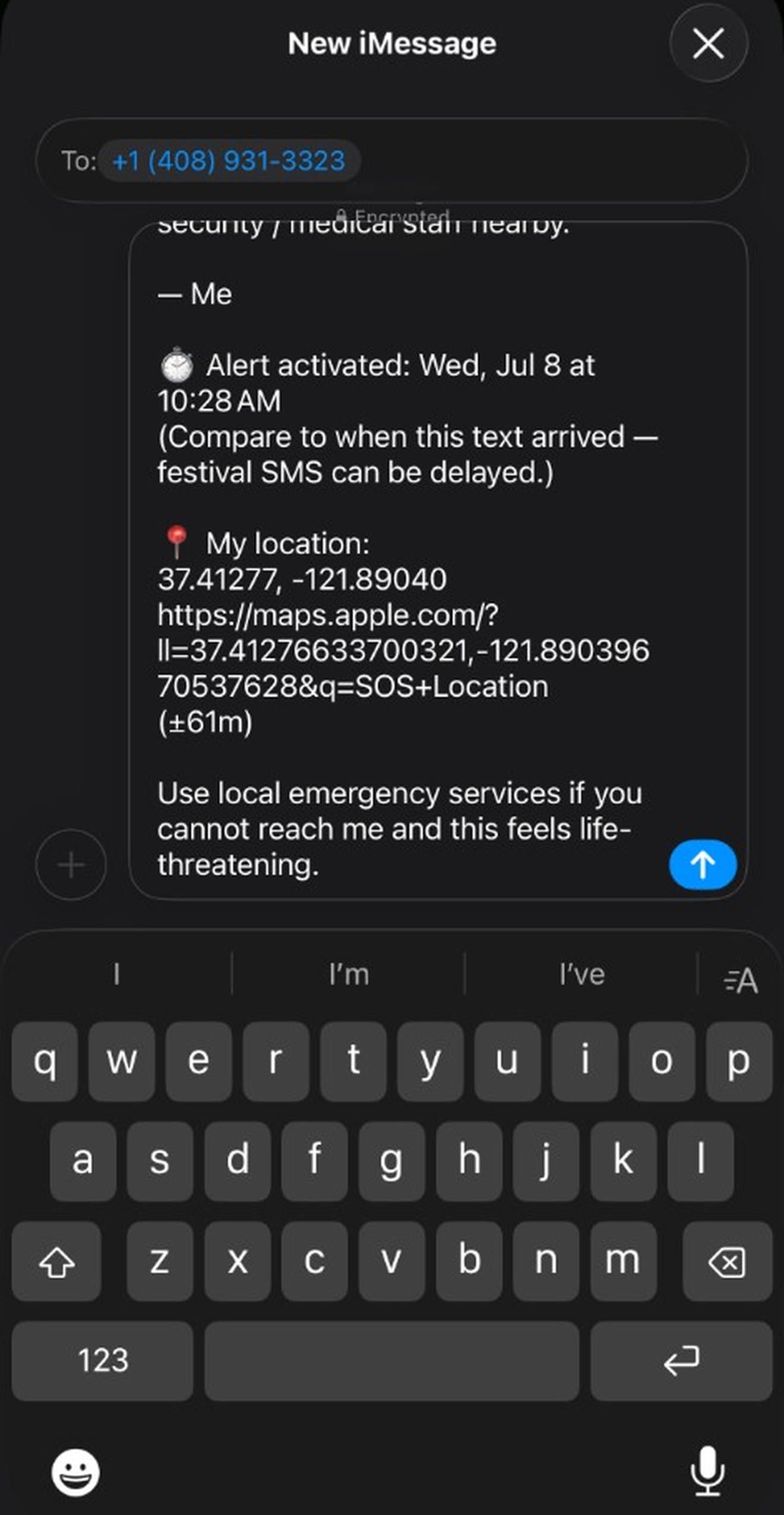
SMS opens in Messages — you tap send
Send in Messages
SOSS opens your SMS app. You tap the send arrow.
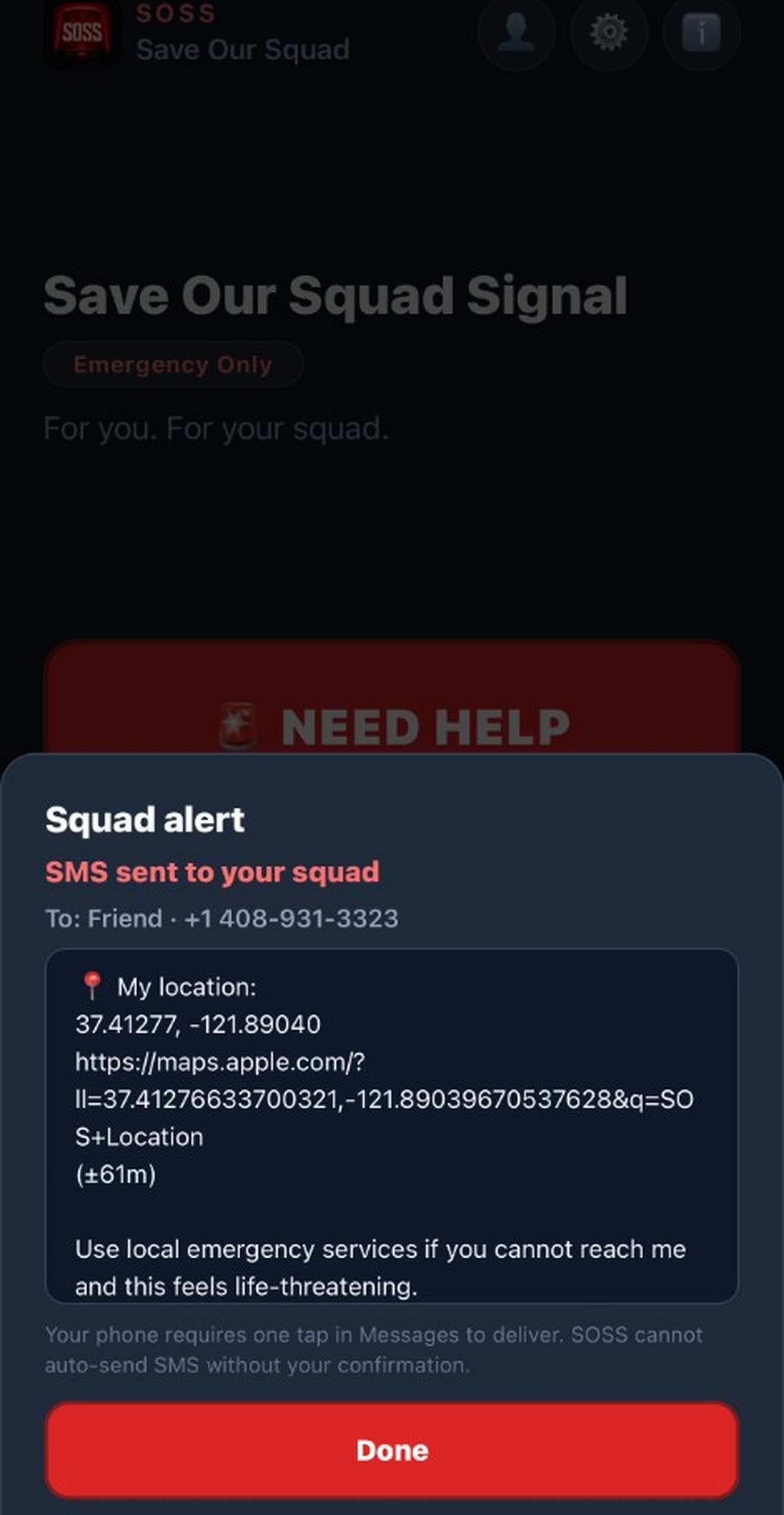
SOSS confirms after you send the text
Sent confirmation
Feedback only after you actually send.
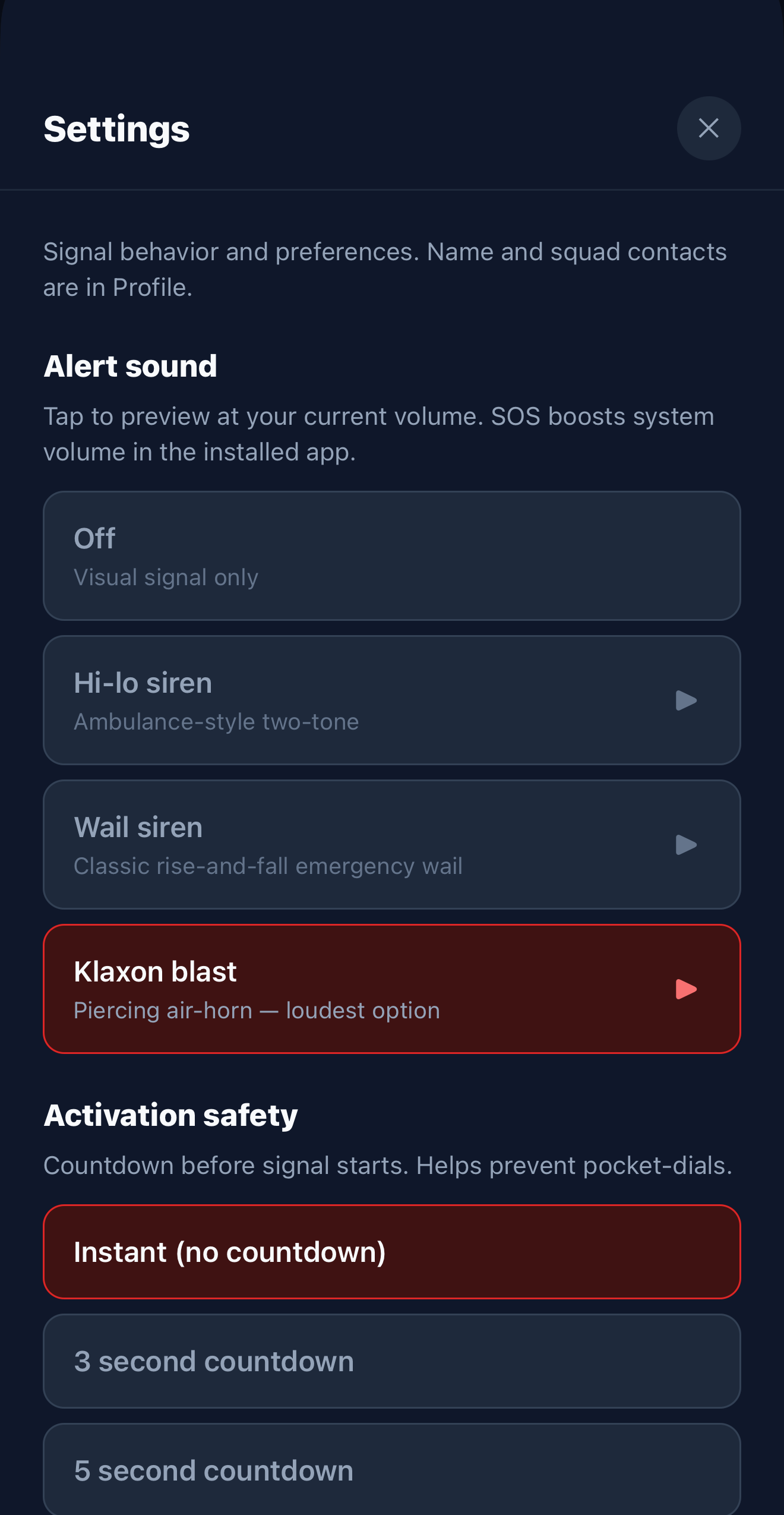
SOSS settings screen
Settings
Flash pattern and alert sound — always max volume.

Reach your squad quietly.

Not every moment needs your phone in the air. Sometimes you need to reach someone you trust without making a scene. Alert my squad is a quick backup when something feels wrong, in a packed crowd or on your own.

Separate button on the home screen. Add your person in Profile. Hold Alert my squad, SOSS drafts a text with your name and location. You read it. You tap send. SOSS never auto-texts.

  1. 1
    Hold Alert my squad 0.5 sec on home. Separate from NEED HELP.
  2. 2
    Review in SOSS GPS and timestamp in the message preview.
  3. 3
    Tap send in Messages SOSS opens SMS — you confirm. Nothing auto-sends.
  4. 4
    Sent confirmation SOSS confirms only after you actually send the text.
Crowd or solo You control every send GPS only when you activate
SOSS confirms squad SMS after you send in Messages

Example message

🚨 SOSS: I need help

I activated Save Our Squad Signal. Please find me or alert event security / medical staff nearby.

📍 maps.google.com/...

Hold. Flash. Get seen.

Be bold enough to be seen. One button, no pocket dials. For when you need the crowd or your squad to notice.

🆘 NEED HELP

Hold to activate. Screen, flashlight, and alert sound pulse together. Visible and audible across a crowded floor.

🔊 Alert sounds

SOS Morse, distress whistle, or siren. Loud enough to cut through. Plays in silent mode.

📲 Alert my squad

Text your emergency contact with your location. You tap send. SOSS never auto-texts.

📡 S.O.S. Morse

Flash and sound in international distress code. The pattern people recognize.

🔒 Hold to stop

Will not turn off from a pocket tap. You choose when the signal ends.

📍 Your location

GPS only when you activate. No background tracking.

Someone near you needs help.

Phone raised, flashing red and white? That is not a light show. That is distress. Flag security, med staff, or anyone with a radio. Check on them if it is safe.

Spot the flash? Pull up.

Raised phone, flashing with an alert sound? That is not the set. Flag security or med staff. SOSS does not call 911. If it is life-threatening, call emergency services and keep the signal up so people can find them.

Look out for each other.

SOSS is one tool. Not the whole picture. We believe in responsible raving and festival culture that actually takes care of people.

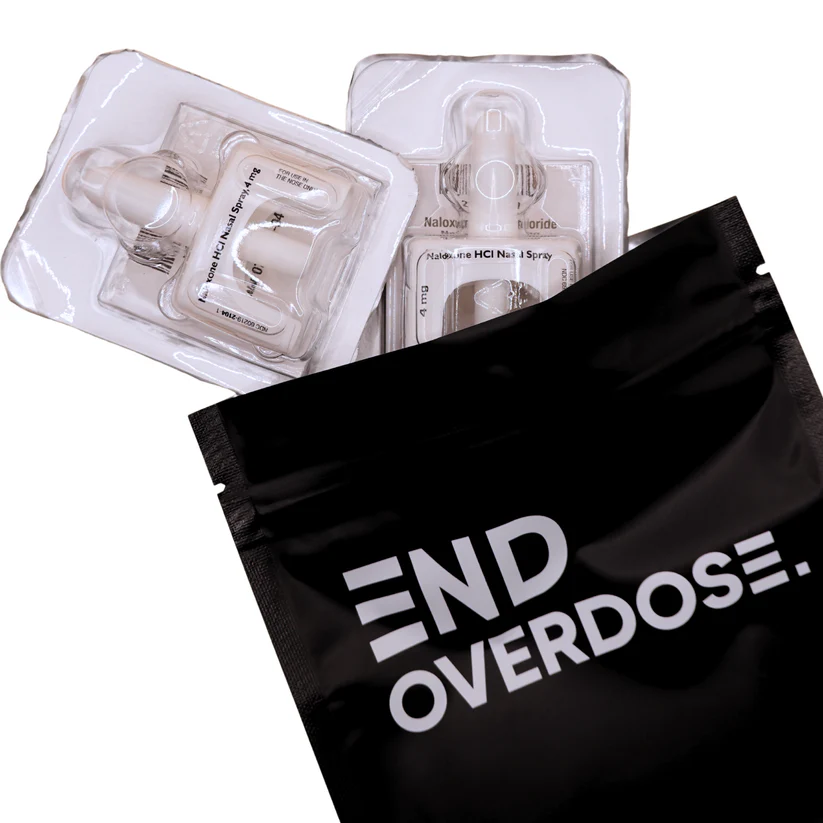
If you are in the U.S., consider a free opioid overdose course that includes Narcan (naloxone) by mail after completion: End Overdose · Opioid Overdose training. SOSS is not affiliated with End Overdose. We share it because community members asked and it is real harm reduction work. We hope to partner with groups like this as SOSS grows.

Flash the signal when you need help. Hydrate. Check on your friends. If someone is in trouble, get med staff involved.

End Overdose naloxone nasal spray and branded pouch

Free Narcan by mail after training · End Overdose (not affiliated with SOSS)

Common questions

SOSS — Save Our Squad Signal — is a free visual SOS app for festivals, raves, concerts, and any loud crowd.

What is SOSS (Save Our Squad Signal)?

SOSS is a free iPhone app that turns your phone into a red-and-white emergency beacon. Hold one button to flash the screen and torch, play a loud alert sound, and optionally text your emergency contact with your GPS location — built for festivals and crowded events.

Is SOSS a replacement for calling 911?

No. SOSS is a visual distress signal for crowds. It does not automatically contact emergency services. In a life-threatening emergency, call local emergency services (such as 911) when you can.

When should I use SOSS at a festival or concert?

Use it when you need help and cannot be heard or seen — a medical issue, feeling unsafe, overdose or heat stroke, or needing staff attention fast. Raise your phone so security and med teams can spot you.

What should I do if I see someone using SOSS?

Phone raised, flashing red and white? That is distress, not a light show. Flag security, medical staff, or venue personnel immediately. Call emergency services if it is life-threatening.

Is SOSS free?

Yes — free on the App Store, no ads, no account required.

How do I get SOSS on Android?

Android is in Google Play closed testing. Apply for the Android beta — we need testers opted in for 14 days before public launch. iPhone is live now.

From the community, for the community.

Showcase your music on the Squad Sounds playlist. Local DJs and producers submit tracks on SoundCloud, we add them by hand. Website only. The app stays emergency-only.

Showcase your music

Player at the bottom of this page. Visit Squad Sounds to listen or submit a track.

Need help in a crowd?

Be the beacon. Be the light. Free on the App Store for iPhone. Android beta testers welcome.

Now available on the App Store